

Tableau Extension
What's on this page
About the Tableau Extension
The Qualtrics-Tableau extension enables organizations to connect their desktop and server Tableau products directly to Qualtrics to gather and view data in real-time.
Qtip: This extension uses the Web Data Connector 2.0 which is being deprecated by Tableau. Tableau will continue to support these connectors until Web Data Connector 3.0 is fully available. The 3.0 version of this connector will be available on the Tableau Marketplace soon.

Requirements
To use the Qualtrics extension with Tableau, verify that your license has the Tableau Integration and Access API permissions enabled. If you are not sure if you have the proper permissions, contact your Brand Administrator. If you are a Brand Administrator would like more information about the Tableau extension, contact your Qualtrics Account Executive.
Please note that you need to be using Tableau 9.1 or above for the extension.
Identifying Your Login Credentials
You will use your Qualtrics username and password to log in. To find your username, navigate to Account Settings and your username will be listed under Recent Logins in the User column.
If you are a SSO (Single Sign On) user, you will need to log in using your API token. See Generating an API Token for more information on how to find your token.
Qtip: You only need to generate your token once. If you generate a new API token and you have an existing Tableau extension that uses the old token, the existing extension will be interrupted and will need to be updated.
Importing Data from Qualtrics to Tableau
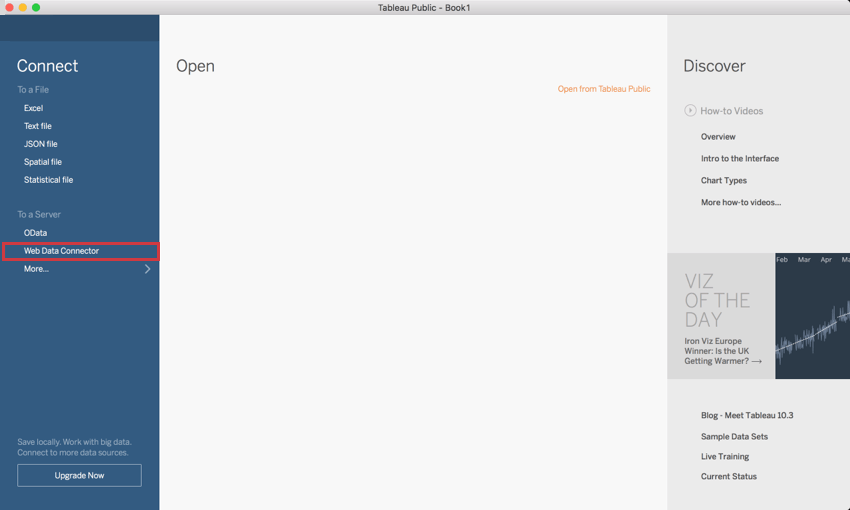
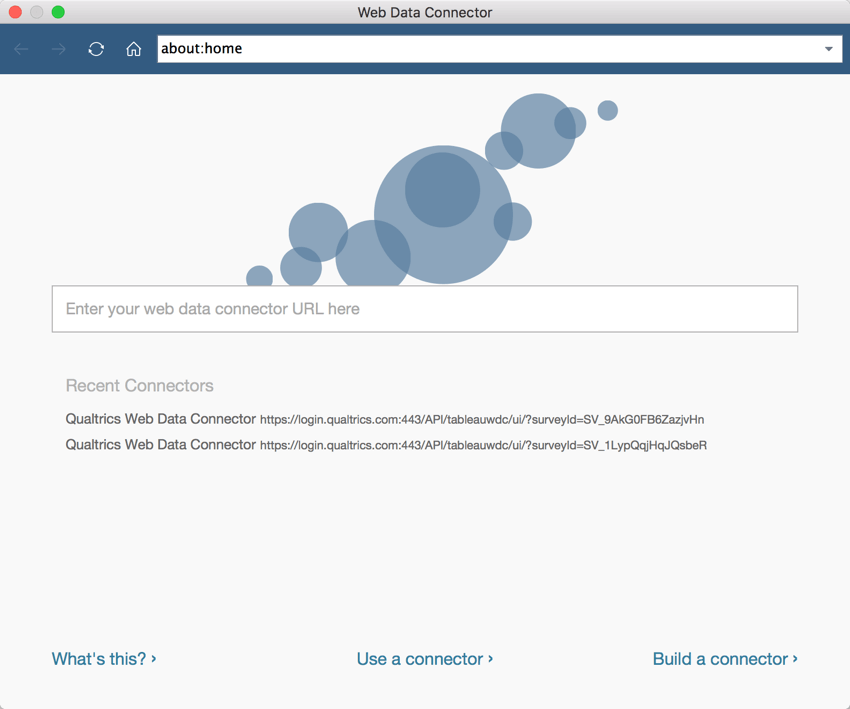
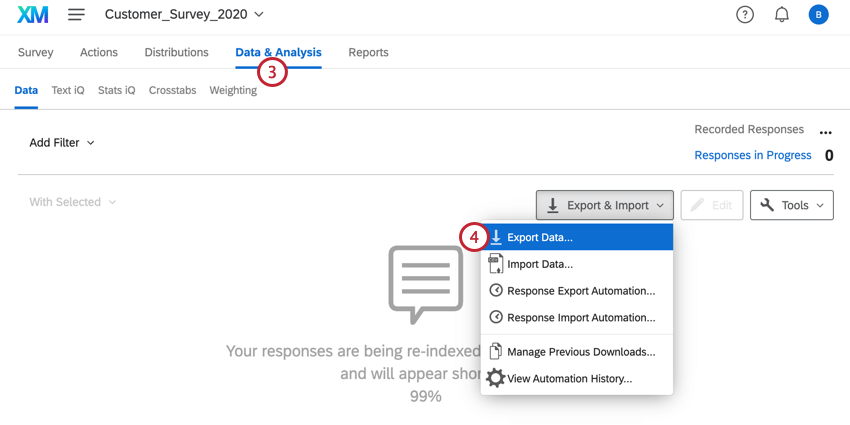
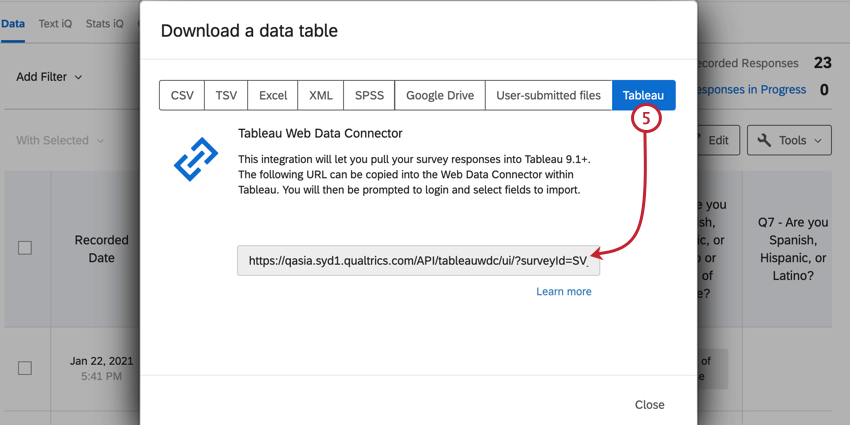
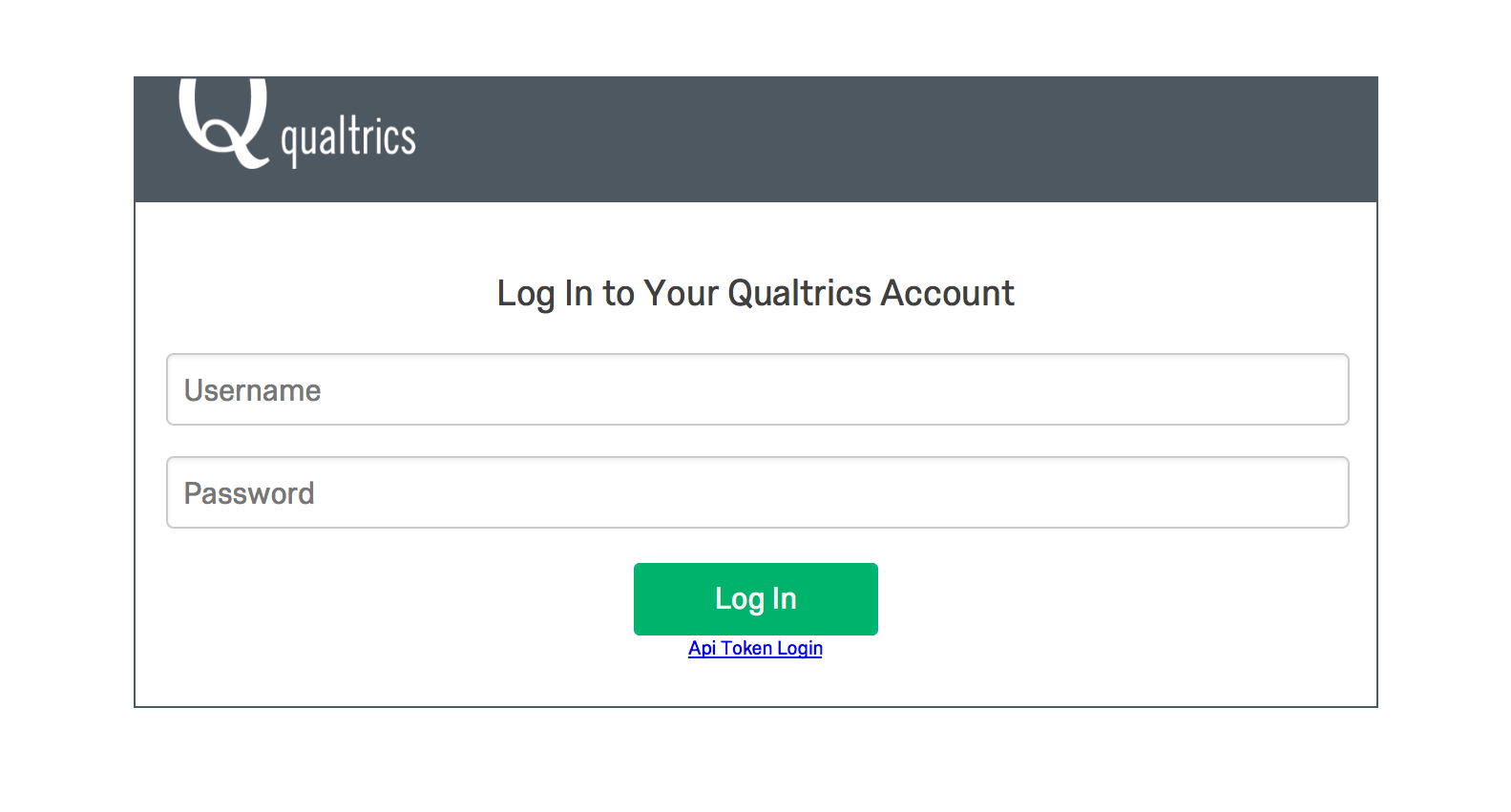
Qtip: If you are an SSO user, you will need to use your API token. If you are not an SSO user, simply log in using your Qualtrics username and password.
Qtip: If you’re connecting via Tableau Bridge instead of Tableau Desktop, you’ll need to input your User ID for the username and API token for the password. The API token can be found in your Account Settings.
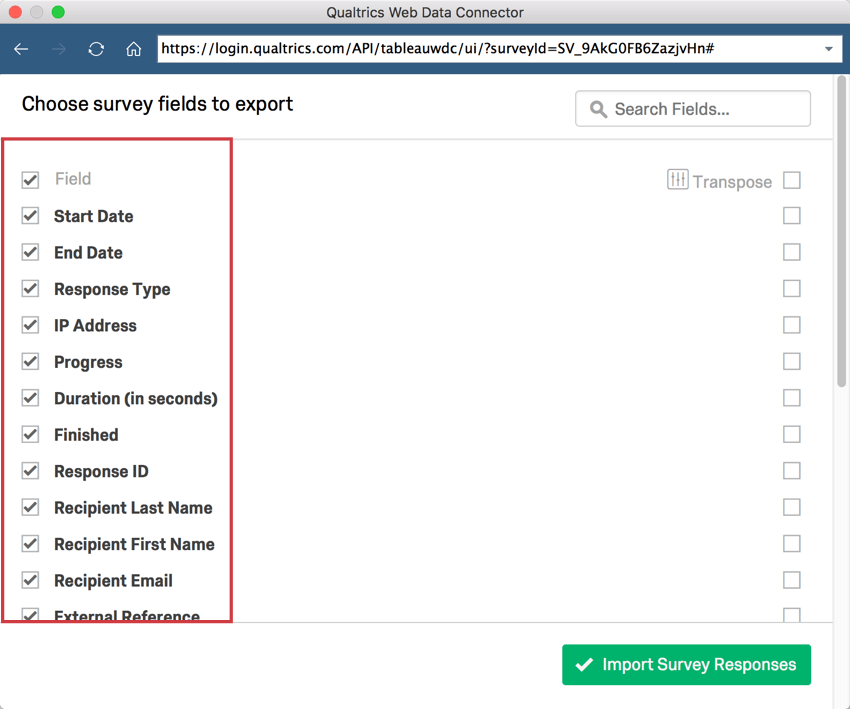
Warning: Performance of the data connector is likely to slow down when you import more that 60 fields into a single web data connector. If you need to import more than 60 fields, we recommend bringing it in with separate connectors, and then joining the datasets together in Tableau.

Qtip: If you receive a allowlisting error when refreshing your data in the Web Data Connector, see this Tableau support page for more information.
Qtip: There is often a delay between new responses coming into Qualtrics and those responses becoming available through your web data connector.
Transposing Data
In order to get the most out of your data that is imported into Tableau, it is important to understand the Transpose feature. Transposing a field will group it based off of the selected options from the Transpose options menu. All transposed fields will be combined and displayed as the selected Transpose options at the top of your data list in Tableau. Fields that are not transposed will be listed below those that have been transposed and grouped by question number.
A general rule of thumb is to transpose numerical data, and leave categorical data untransposed. For example, suppose you collect demographic information on an NPS survey. You would be interested in transposing the NPS values so you can see numerical counts of each NPS score. You would then leave the demographic questions untransposed so you can see each NPS score broken out by demographic.
On the Transpose options menu, some of the data types are labeled differently than within Qualtrics. Here is a list of what they are called in Tableau and the corresponding name within Qualtrics:
| Tableau Label | Qualtrics Equivalent |
|---|---|
| Question ID | Question Number |
| Numerical Value | Recode Value |
| Textual Answer | Choice Text/Variable Name |
| Question Text | Question Label (or text of question if label is blank) |
That's great! Thank you for your feedback!
Thank you for your feedback!